Build a Stunning GitHub Profile with AI (Claude Code Tutorial 2026)
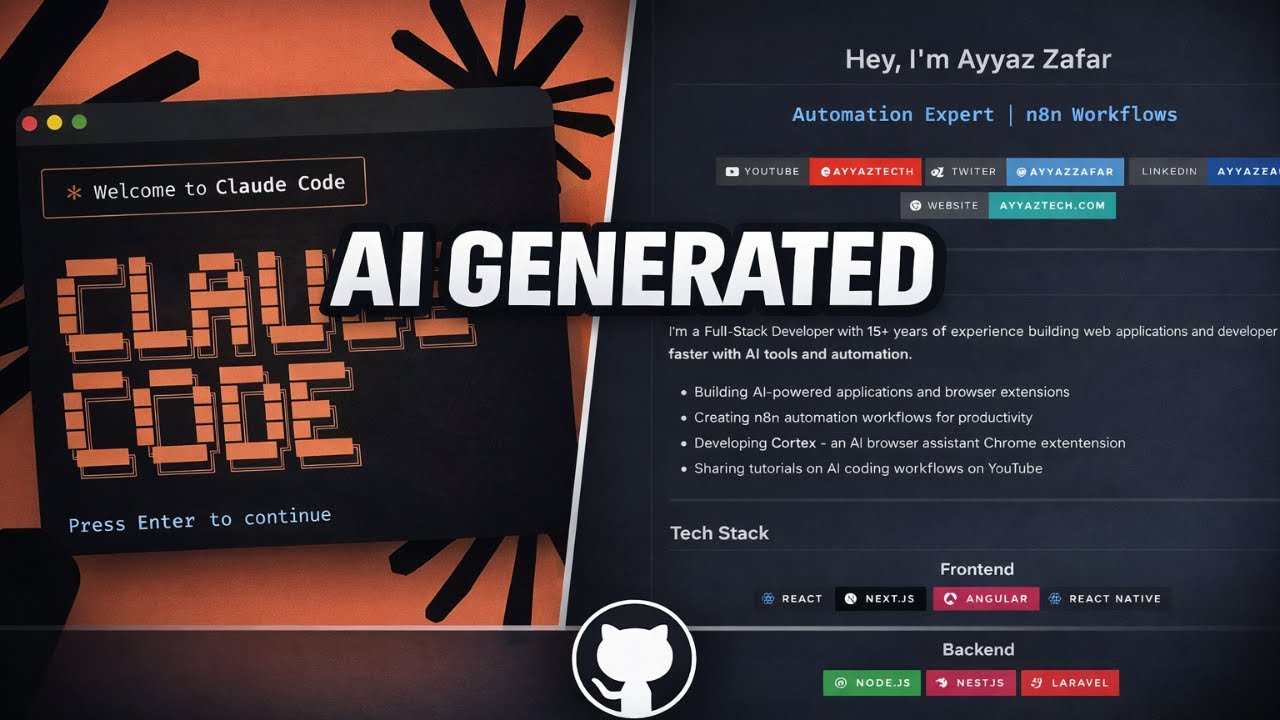
Most developer GitHub profiles look the same: empty, boring, forgettable. A handful of repos, no readme, no story. Yours could look completely different in the next five minutes.
I am going to show you how I used Claude Code to build a polished GitHub profile README, complete with stats, badges, and a real about-me section, without writing a single line of Markdown myself.
Why a GitHub Profile README Matters
Your GitHub profile is a kind of developer resume. Recruiters check it. Other developers check it. Open source maintainers look before accepting a PR.
But here is the thing. Most developers do not have time to learn fancy Markdown, figure out which badges to use, design a good layout, or maintain a stats widget. That is the gap Claude Code closes.
How GitHub Profile READMEs Work
GitHub has a hidden trick: if you create a repository with the exact same name as your username, the README of that repo gets featured at the top of your profile page.
So if your username is ayyaztech, you create a repo called ayyaztech, write a README inside it, and that README shows up on your public profile.
Step 1: Create the Special Repo
Go to GitHub and create a new repository:
- Repository name: exactly your GitHub username (case-sensitive)
- Visibility: Public
- Initialize with README: checked
GitHub will flash a small notification: "You found a secret! This is your profile README."
Step 2: Clone It Locally
git clone https://github.com/YOUR_USERNAME/YOUR_USERNAME.git
cd YOUR_USERNAME
code .
Open the terminal and start Claude Code:
claudeStep 3: Give Claude Context About You
The quality of the README depends on what Claude knows about you. Give it a quick prompt:
I need a polished GitHub profile README for myself. Some context:

- Name: [your name]
- Role: [your title, e.g. "Full-stack developer, 10 years experience"]
- Stack: [main technologies, e.g. "Node.js, TypeScript, React, Postgres"]
- What I am working on: [current focus]
- Side projects: [1-3 things you are proud of]
- Where to reach me: [email, twitter, linkedin]
- Tone: [professional / friendly / playful — pick one]

Write the README.md as a single file. Include:
- A clean header with my name and role
- An "About Me" section
- Tech stack with badges
- GitHub stats widget
- A "currently building" section
- Contact links

Make the layout visually scannable. Use emojis sparingly. Do not include placeholder text.
Claude will draft the entire README.md. You will see Markdown with headers, tables, badge URLs from shields.io, and a stats widget from github-readme-stats.
Step 4: Review and Tweak
Read the draft. Most of it will be ready to ship. Things to check:
- Names and links are correct. Claude knows the format but not your exact GitHub username or socials.
- The badge list matches your real stack. If you do not actually use Kubernetes, take it off.
- The "currently building" section is honest. Vague claims hurt credibility.
If you want changes, just talk to Claude:
Make the About Me section shorter, two sentences max. Remove the badges for tools I do not use daily. Add a quote at the bottom about why I love building.Step 5: Commit and Push
git add README.md
git commit -m "Add profile README"
git push
Reload your GitHub profile page. The README appears at the top. Done.
What Good Profile READMEs Usually Include
- Header with your name and current role. Anyone landing on your profile should know who you are in 3 seconds.
- About Me, 2 to 4 lines. Not your life story. What you do, what you care about.
- Tech stack badges. Shields.io has badges for every tool. Keep it to what you actually use.
- GitHub stats card. Auto-generated from github-readme-stats. Looks impressive, takes one line of Markdown.
- Currently building. A line or two on your active project. Updates trust.
- Contact links. Email, Twitter, LinkedIn, personal site.
The Pattern, Not Just the Output
The interesting part of this video is not the README itself. It is what the whole flow demonstrates. You can ask Claude Code to build any small artifact (a README, a config file, a landing page, a script) by giving it just enough context and a clear list of what you want. The output is rarely perfect on the first pass, but the gap between "I want this" and "I have this" went from hours to minutes.
Other Claude Code Quick Wins
- I Drew This on Paper, AI Built It (a working web app from a sketch)
- Claude Code Tutorial for Beginners
- CLAUDE.md Tutorial: One File, 10x Smarter Claude
Subscribe
Subscribe to AyyazTech for more Claude Code tutorials that turn AI into a daily-driver tool.